
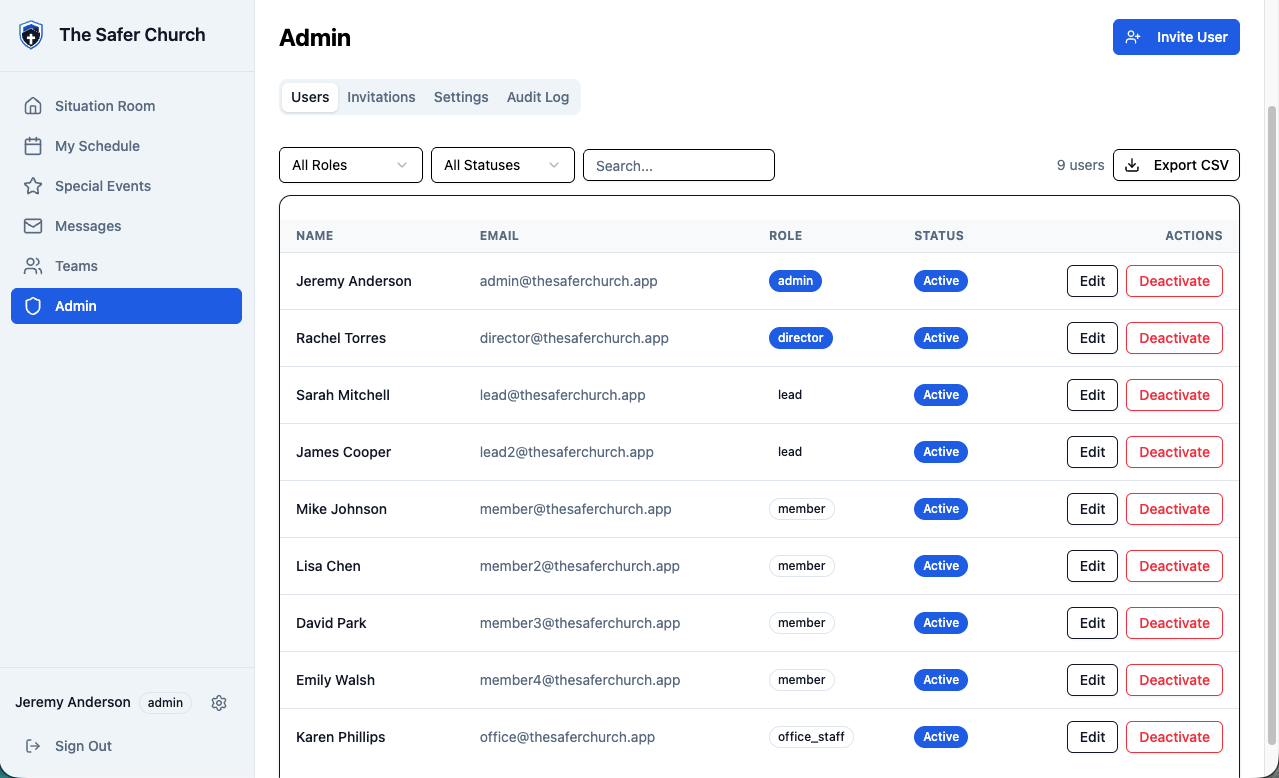
Section 1 is under Teams in the app's left-hand menu. Everything else is under Admin (admins only).
1. Create your teams first
Teams → Create Team (admins and directors). Do this before you invite anyone.
- Shifts are scheduled by team, so a person who isn't on a team has no schedule to see.
- With your teams in place, you tick each person's teams right in the invitation (section 2) — every team they serve on — and they join them when they finish signing up.
- For someone who already has an account, open each of their teams and use Add Member.
2. Inviting someone new
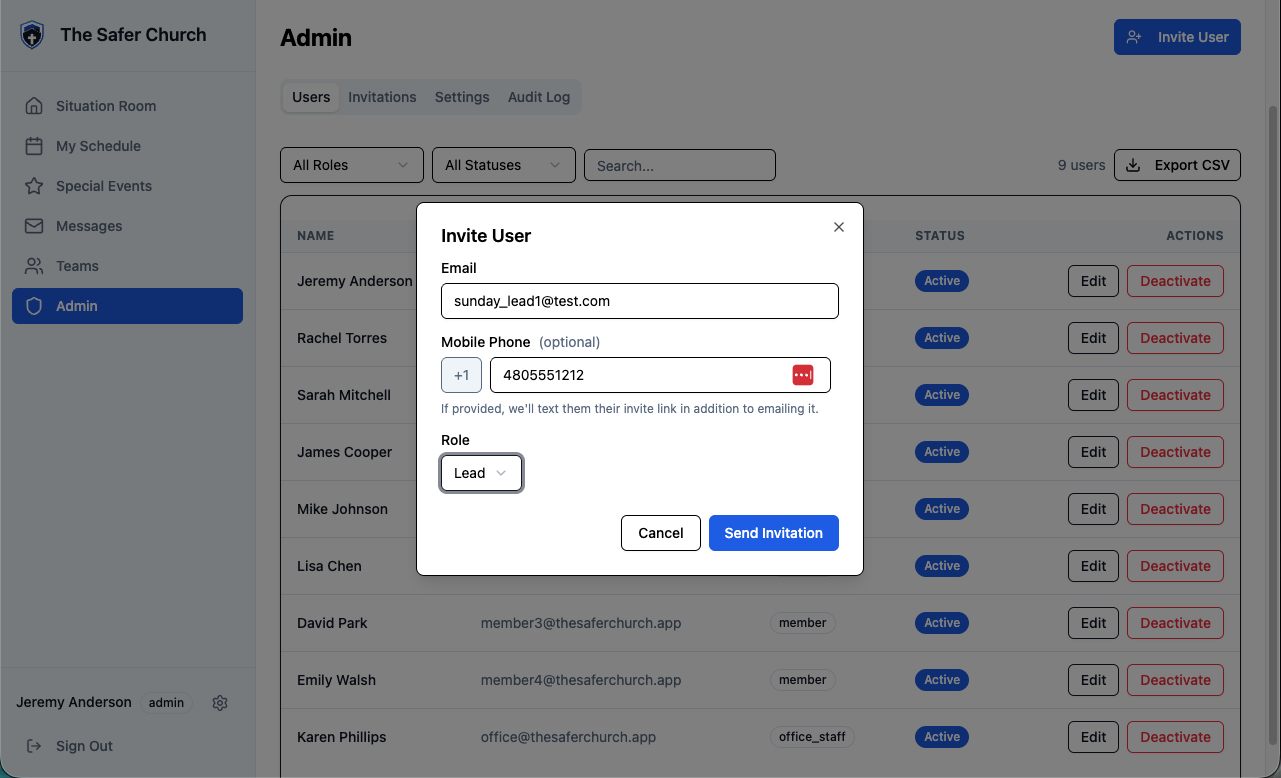
Admin → Invite User (top-right button).
- Enter their email, pick a role, and optionally their cell number — if you add one, the sign-up link is texted as well as emailed.
- Tick their team(s). They join each one as a member once they've finished signing up. Leave it empty for office staff or anyone who doesn't serve on a team.
- Roles, in practice: most people are Member. Lead runs a team, Director oversees teams, Admin manages the app itself, Office Staff is for church office folks who need messages but don't serve shifts.
- Invitations are sent one at a time today.
What they receive: an email (subject “You're invited to The Safer Church”) with a Create Your Account button and the church shortcode — plus, if you entered a number, a text with the same link attributed to you by name. The shortcode is deliberately only in the email and on the printed sheet, never in the text.
3. Seeing who hasn't activated
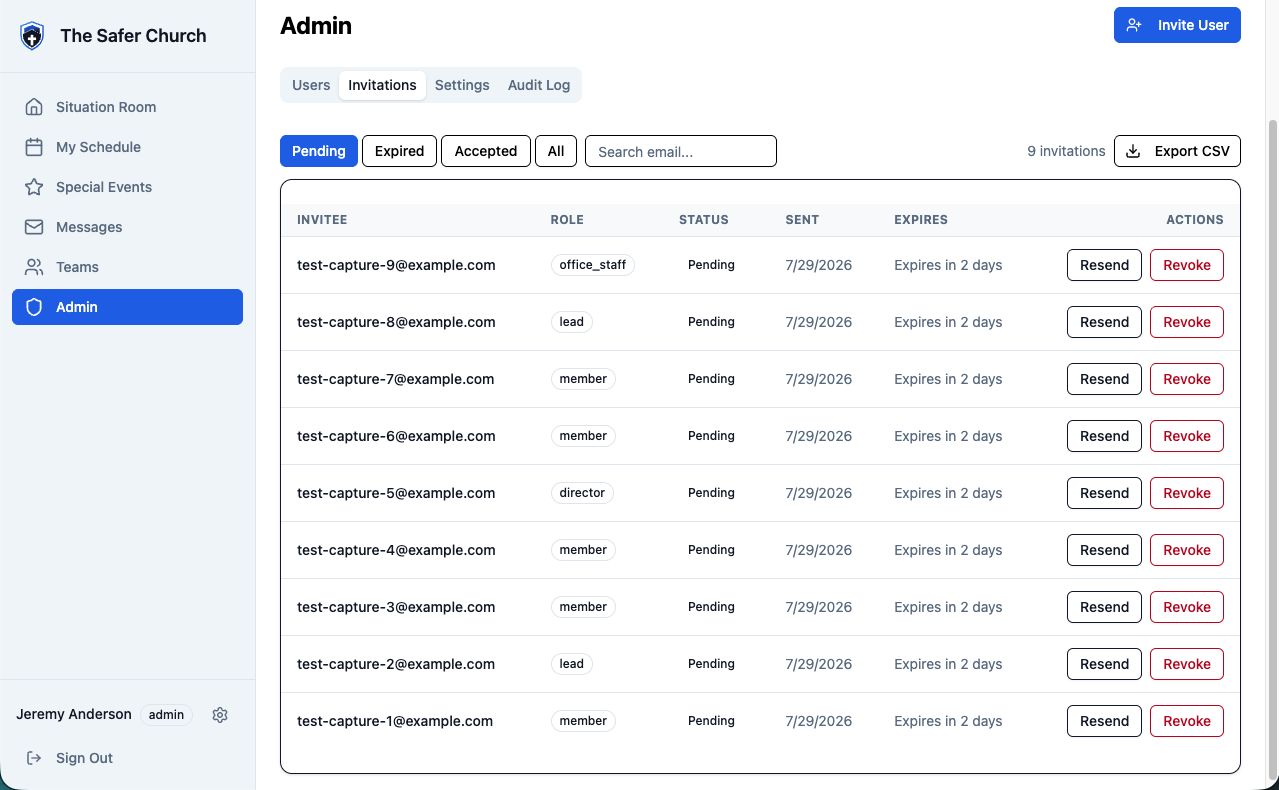
Admin → Invitations. The list opens on the Pending filter — that is your chase list: everyone invited who hasn't created their account yet.
- Each row shows when it was sent and when it expires (“Expires in 5 days”). Invitations last 7 days by default.
- Filters: Pending · Expired · Accepted · All, plus a search box (by email) and Export CSV if you want the list in a spreadsheet.
- A phone icon under the email means that person was also texted.
- “Joins …” under the email lists the teams they'll join when they sign up.
4. Resending and revoking
On any row in Admin → Invitations:
- Resend — sends a fresh link. Available for Pending and Expired invitations, so an expired invite is never a dead end: just resend it.
- Revoke (pending) — kills the sign-up link, for a wrong email or a person who shouldn't have been invited. You can always invite them again later.
- Remove (accepted or expired) — just clears the old record; the link is already dead.
Rule of thumb: typo'd email or wrong number → Revoke, then re-invite with the right details. Someone dragging their feet → Resend, and mention it Sunday.
5. Where settings live
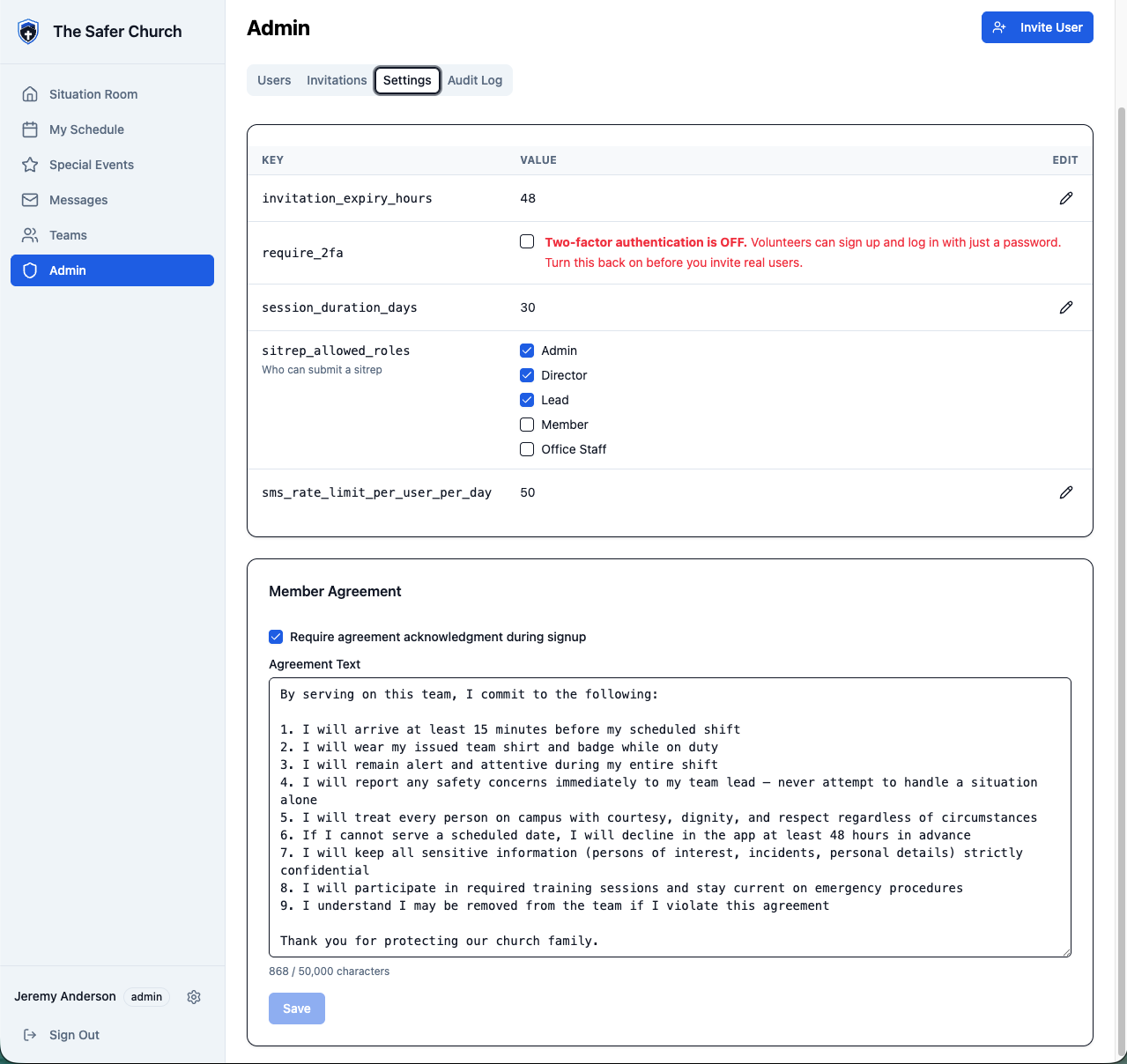
Admin → Settings. The ones that matter:
| Setting | What it does |
|---|---|
require_2fa | Two-factor sign-in. ON means every sign-in needs a texted code — turn it on before you go live with real people, and leave it on. |
sitrep_allowed_roles | Who can file a situation report — checkboxes by role. |
invitation_expiry_hours | How long invitation links last. Default 168 (7 days). |
| Member agreement (its own card, below the table) | Optionally paste in your church's volunteer agreement and tick Require agreement acknowledgment during signup; new people accept it at sign-up. People who joined before you turned it on never see it. |
Your church's time zone is the one chosen at signup — it drives when shift reminder texts go out. If it's wrong (times look shifted), email support; there's no self-serve field for it yet.
6. The other tabs, briefly
- Admin → Users — everyone with an account: change roles, deactivate someone who's stepped away.
- Admin → Audit Log — a running record of who did what in the app. You'll rarely need it, but it's there when you do.
- Admin → Support — send us a request (Support, Bug or Feature request) and read our replies. Admins, directors and office staff see it.
7. When to call in help
- App questions from members → your tech deputy first.
- Something broken, a person you can't get activated, or a setting you're unsure about → Admin → Support → New request, or email support@thesaferchurch.com. A real person reads every message.
Companion pieces: Set up your church (first-time setup, start to finish), member one-pager generator (hand to every member) and team-meeting script (the rollout meeting itself).